Using AI in Software Development: What Actually Works in 2026
Every week there is a new AI tool that promises to replace software engineers. Every week, we still have work to do. The gap between AI marketing and AI reality in software development is enormous, and most of the discourse is either breathless hype or dismissive cynicism.
We are neither. We are a four-person studio that ships products for a living, and we use AI tools every day. Some of them are genuinely transformative. Some are mediocre. Some are actively counterproductive. Here is our honest assessment of what works, what does not, and how AI has actually changed how we build software at Threshline.
What we use every day
Three AI tools have become genuinely embedded in our daily workflow. Not as experiments, not as novelties, but as tools we would be slower without.
Claude for code review and architecture decisions. This is the biggest one. We use Claude for reviewing pull requests, rubber-ducking architecture decisions, and working through complex logic. When one of us is building a tricky database migration or designing an API surface, talking it through with Claude catches edge cases we would miss on our own.
The key insight: Claude is not a replacement for peer review. It is an addition to it. We still review each other’s code. But Claude catches a different class of issues — subtle type mismatches, missing error handling paths, SQL queries that will not use the intended index. It is like having a very thorough, very patient reviewer who never gets tired.
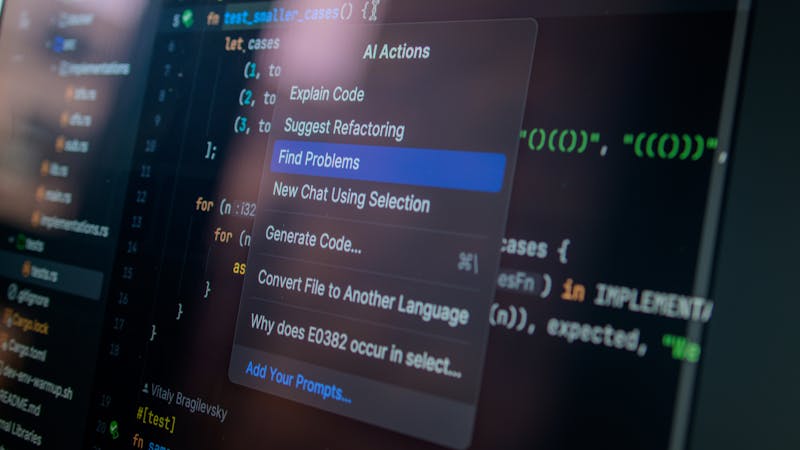
We also use Claude directly in our editor for writing code, refactoring, and debugging. When we rebuilt the contract management system in Vincelio, Claude helped us work through complex state machines for contract lifecycle management. It did not write the system for us, but iterating on the design with an AI that could reason about edge cases saved us significant time.
GitHub Copilot for autocomplete. This is the most mundane AI tool in our stack, and also the most consistently useful. Copilot does not write features for us. What it does is eliminate typing for boilerplate, test assertions, type definitions, and repetitive patterns.
Writing a Zod schema? Copilot completes most fields after you type the first two. Writing test assertions for a CRUD API? It fills in the expected values based on the test setup. Mapping database columns to TypeScript types? Copilot has seen that pattern a million times.
The productivity gain is real but modest — maybe 15-20% faster for code that is mostly pattern repetition. For novel logic, creative problem-solving, or complex architecture, Copilot is useless. And that is fine. Not every tool needs to be revolutionary. Sometimes “types boilerplate faster” is enough.
AI-assisted test generation. This one surprised us. We started asking Claude to generate test cases for existing functions, and the coverage it identifies is often better than what we write manually. Not because the AI is smarter, but because it is more systematic. It checks boundary conditions, null inputs, empty arrays, maximum lengths, and error paths that humans tend to skip because they seem obvious.
Here is a real example. We wrote a function for Trackelio that calculates feedback sentiment scores:
function calculateSentimentScore(responses: FeedbackResponse[]): SentimentResult {
  if (responses.length === 0) {
    return { score: 0, confidence: 0, label: 'neutral' };
  }

  const weights = responses.map((r) => ({
    value: r.rating / 5,
    recency: Math.exp(-0.1 * daysSince(r.createdAt)),
  }));

  const weightedSum = weights.reduce(
    (sum, w) => sum + w.value * w.recency, 0
  );
  const totalWeight = weights.reduce((sum, w) => sum + w.recency, 0);
  const score = weightedSum / totalWeight;

  return {
    score: Math.round(score * 100) / 100,
    confidence: Math.min(responses.length / 10, 1),
    label: score > 0.6 ? 'positive' : score < 0.4 ? 'negative' : 'neutral',
  };
}
We asked Claude to generate test cases. It produced 14 tests, including cases we had not considered: what happens when all responses have the same timestamp (recency weighting collapses), what happens with a single response at exactly the boundary thresholds (0.4 and 0.6), and what happens when daysSince returns a negative number due to timezone issues. That last one was an actual bug we had not caught.

What kind of works, with caveats
AI for writing database queries. Claude can write SQL and it is often correct, especially for straightforward queries. But we have learned to never trust AI-generated SQL without checking the query plan. The AI writes queries that return correct results but perform terribly — missing indexes, unnecessary subqueries, full table scans hidden behind seemingly reasonable JOINs.
For simple CRUD queries, it is fine. For anything touching reporting, aggregation, or queries that run against large tables, we always EXPLAIN ANALYZE the output. The AI does not know your data distribution, your index strategy, or your table sizes. It writes syntactically correct SQL that may or may not be performant.
AI for writing documentation. We have tried using AI to generate API docs, README files, and inline code comments. The result is technically accurate and completely lifeless. AI documentation reads like a textbook nobody asked for. It over-explains the obvious and glosses over the actually tricky parts.
What works better: we write a rough draft, then use AI to clean up grammar, check for inconsistencies, and fill in missing sections. The AI is a good editor but a bad author.
AI for CSS and styling. Hit or miss. AI can generate reasonable Tailwind class combinations for common patterns — cards, navbars, hero sections. But it has no taste. It does not understand visual hierarchy, whitespace rhythm, or the subtle differences that separate “technically correct” from “looks good.” Every AI-generated UI we have seen needs significant design adjustment.
What does not work
AI-generated architecture. We have tried asking AI to design system architecture — database schemas, service boundaries, API structures. The output is always plausible and almost always wrong for the specific context. Architecture is about tradeoffs specific to your scale, your team, your constraints, and your users. AI does not know any of that. It gives you a generic architecture that is optimized for nothing in particular.
When we designed the multi-tenant architecture for MindHyv, the decision between shared-schema and schema-per-tenant depended on our specific access patterns, our deployment constraints on Supabase, and our expected tenant count. No AI tool could have made that decision correctly without understanding all of that context.
Fully autonomous coding agents. The idea that you describe a feature and an AI builds it end-to-end is still more demo than reality for production work. We have tested several autonomous coding tools. They work for isolated, well-defined tasks with clear boundaries. They fall apart for anything that touches multiple files, requires understanding of existing conventions, or needs to integrate with a codebase that has any complexity.
The failure mode is insidious: the AI generates code that compiles, passes basic tests, and looks reasonable on first glance. But it does not follow the patterns of the existing codebase, introduces subtle inconsistencies, and makes assumptions that do not hold in production. You spend more time reviewing and fixing the AI’s output than you would have spent writing it yourself.
AI for security-sensitive code. Authentication flows, payment processing, access control — anything where a subtle bug has serious consequences. We do not trust AI output for these areas without extremely thorough review, which negates most of the speed benefit. The AI does not understand the difference between “this code works” and “this code is secure,” and the gap between those two things is where vulnerabilities live.
For our approach to building secure auth systems, including the patterns AI gets wrong, see our post on authentication patterns for web apps.

How AI changes our workflow
The biggest change is not about any specific tool. It is about how we allocate our time.
Before AI tools, a typical feature development cycle looked like:
- Design the approach (20% of time)
- Write the implementation (50% of time)
- Write tests (15% of time)
- Review and refine (15% of time)
Now it looks more like:
- Design the approach (30% of time)
- Write the implementation with AI assistance (25% of time)
- Write and generate tests (10% of time)
- Review AI output and refine (35% of time)
The total time is roughly similar — maybe 10-15% faster overall. But the distribution has shifted dramatically. We spend less time typing and more time thinking and reviewing. The implementation phase is faster, but the review phase is longer because AI-assisted code needs careful verification.
This is, on balance, a good thing. More time spent on design and review means higher quality output. The mechanical act of typing code was never the bottleneck. The bottleneck was always understanding the problem correctly and verifying the solution is right. AI makes the easy parts faster and the hard parts unchanged.
Our setup
For anyone curious about the specific tools and configuration:
// .claude/settings.json — project-level Claude Code config
{
  "model": "claude-opus-4-6",
  "permissions": {
    "allow": [
      "Read(**)",
      "Edit(**)",
      "Bash(git status)",
      "Bash(git diff)",
      "Bash(npm run typecheck)",
      "Bash(npm run test)"
    ]
  }
}
We keep Claude Code permissions tight — read and edit access plus specific commands for type checking and testing. No open shell access, no deployment commands. The tool should help you write code, not deploy it.
For Copilot, we disable it in files that deal with authentication, environment configuration, and database migrations. The autocomplete in these files is more distracting than helpful because the suggestions are plausible but context-unaware.
The honest take
AI tools make us maybe 10-15% more productive overall. That number is lower than the marketing suggests and higher than the skeptics claim. The gains are real but unevenly distributed — huge for boilerplate, meaningful for testing, marginal for novel logic, and negative for architecture.
The engineers who benefit most from AI tools are the ones who already know what good code looks like. They use AI to get there faster, not to get there at all. If you do not know what a correct solution looks like, you cannot evaluate whether the AI’s suggestion is any good. This is the paradox of AI-assisted development: the people who need it least benefit most.
We are not worried about AI replacing our jobs. We are watching it become another tool in the toolkit — like TypeScript, like linters, like CI pipelines. It makes certain categories of mistakes harder to make and certain categories of work faster to complete. That is genuinely valuable. It is just not the revolution the marketing material promises.
For more on how we structure our development process to ship reliably, AI tools and all, see our post on shipping fast without breaking things.
If you are building a product and want a team that uses AI tools pragmatically — not as a gimmick but as part of a proven development workflow — reach out at hello@threshline.com.